* Average data from QueAproveche customers, first 90 days of use.
- The psychology of the menu: why paper limits your sales
- Technique 1 — High-quality photos as the first sales argument
- Technique 2 — The "Best Seller" badge as social proof
- Technique 3 — Smart pairing suggestions
- Technique 4 — The dessert category always visible
- Technique 5 — Anchored pricing and premium options
- How to measure results at your own venue
The psychology of the menu: why paper limits your sales
When a customer picks up a paper menu, their brain enters quick-scan mode. They read the headlines, look at the prices, and choose in under 90 seconds. This is the effect consumer psychologists call "inertia decision-making": customers order what's familiar, cheapest, or first in sight.
A QR digital menu completely changes that dynamic. The customer browses, pauses, zooms in on photos, reads descriptions. Decision time increases, and with it, the probability of adding a starter, a special drink, or a dessert they would never have ordered from paper.
Technique 1 — High-quality photos as the first sales argument
A Cornell University study showed that adding photos to digital menu items increases sales of that dish by 30% to 65%. Not just any photos — they must convey texture, temperature and emotion.
The good news is you don't need to hire a professional photographer to start. With a recent smartphone and natural light, you can capture images that sell. What is essential:
- Neutral or rustic background: dark wood and slate work very well.
- Square or 4:3 image: adapts better to digital menu cards.
- One dish per photo: the focus must be on the product, not the scene.
- No aggressive filters: the customer must recognize the dish when it arrives at the table.
With QueAproveche you can upload and change photos from your phone in under a minute. If you test a new photo and it doesn't convert, you swap it without any IT help.
Technique 2 — The "Best Seller" badge as social proof
Social proof is one of the most powerful principles of persuasion. When someone sees a dish is "the best seller", their brain interprets that as collective validation: "If everyone orders it, it must be good."
Identify the 2-3 dishes with the highest profit margin on your menu (not necessarily the most popular) and label them as "House Favourite", "Most Ordered" or "Top Seller". The goal is to redirect the customer's attention toward the items you most want to sell.
Which dishes to mark as "Best Seller"?
- The dish with the highest contribution margin (price − cost = profit).
- The seasonal dish you want to rotate before the ingredients expire.
- The new product you want to test in the market.
Technique 3 — Smart pairing suggestions
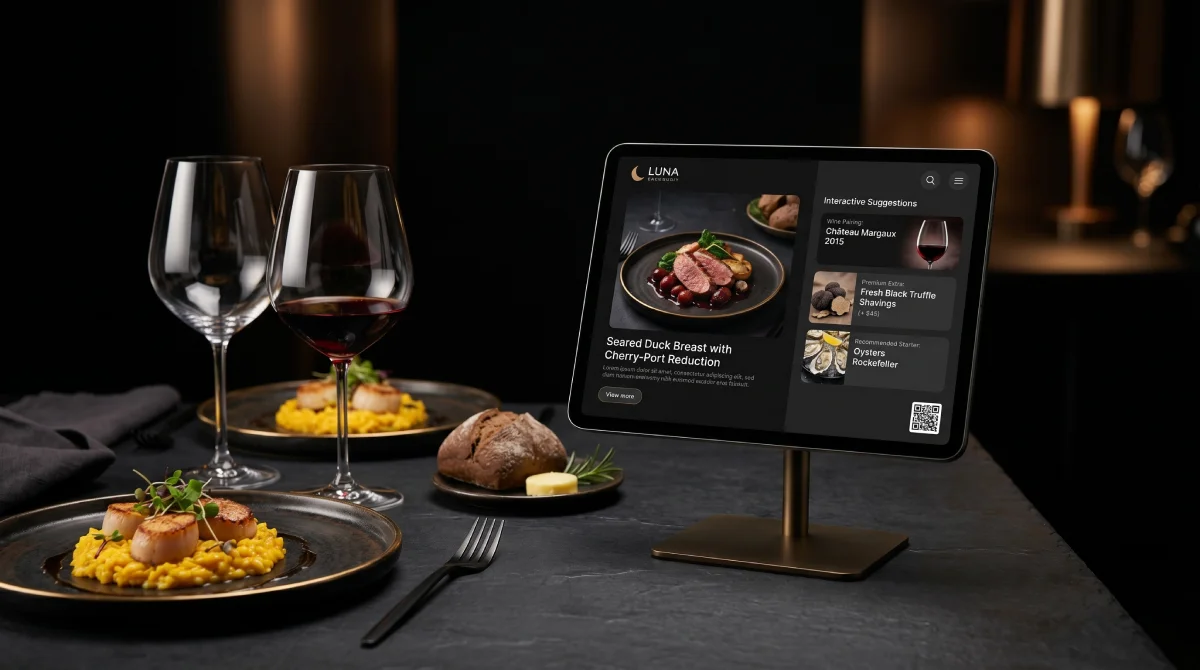
Fine dining restaurants have been doing this for decades: the sommelier suggests a wine while presenting the menu. You can replicate it in your digital menu with a simple line in the dish description:
This technique has a double effect: increases the ticket with the drink and reduces floor staff workload because the customer already knows what to order before the waiter arrives.
Want to apply these techniques at your restaurant?
Create your digital menu in under 10 minutes and start selling more from today. 30 days free, no credit card required.
Create my menu freeTechnique 4 — The dessert category always visible
Here is the biggest problem with paper menus: once the customer has finished the main course, the menu has already disappeared from the table. The waiter has to return with the dessert menu, interrupt the conversation and wait. In 60% of cases, the customer says "no thank you" to avoid prolonging the process.
With a QR digital menu, the code stays on the table throughout the meal. The customer can browse desserts while taking their last bite of the main course. No friction, no waiting, no awkward interruptions.
The additional trick: list desserts as the last category but with a spectacular photo. The "recency" effect means the last thing we see is what we remember most.
Technique 5 — Anchored pricing and premium options
The anchoring effect is one of the most studied cognitive biases in consumer psychology. When we see a high price first, subsequent prices seem more reasonable. It works like this on your menu:
- Put your most expensive dish first in each category. It won't be the best seller, but it anchors the perception of value.
- Offer a "deluxe" version of your star dishes: double portion, premium ingredient, special garnish. 15-20% more expensive with 5% more cost.
- Remove the € symbol from prices. Studies show customers spend more when they don't see the currency symbol, as it triggers less "payment pain".
Si quieres profundizar más, no te pierdas nuestra guía de ingeniería de menús y Gastro-Marketing.
How to measure results at your own venue
You don't need advanced analytics software. With these three numbers you can measure the impact week by week:
- Average ticket before and after: total sales ÷ number of diners. Measure it for the 4 weeks before activating the menu and the 4 weeks after.
- Dessert ratio: desserts sold ÷ tables served. If it rises, techniques 4 and 5 are working.
- Drinks per table: drink units ÷ tables. If it rises, the pairing suggestions are working.
Most of our customers see the first results in the first 2-3 weeks. Not because the product is magic, but because eliminating ordering friction naturally improves customer behaviour on its own.